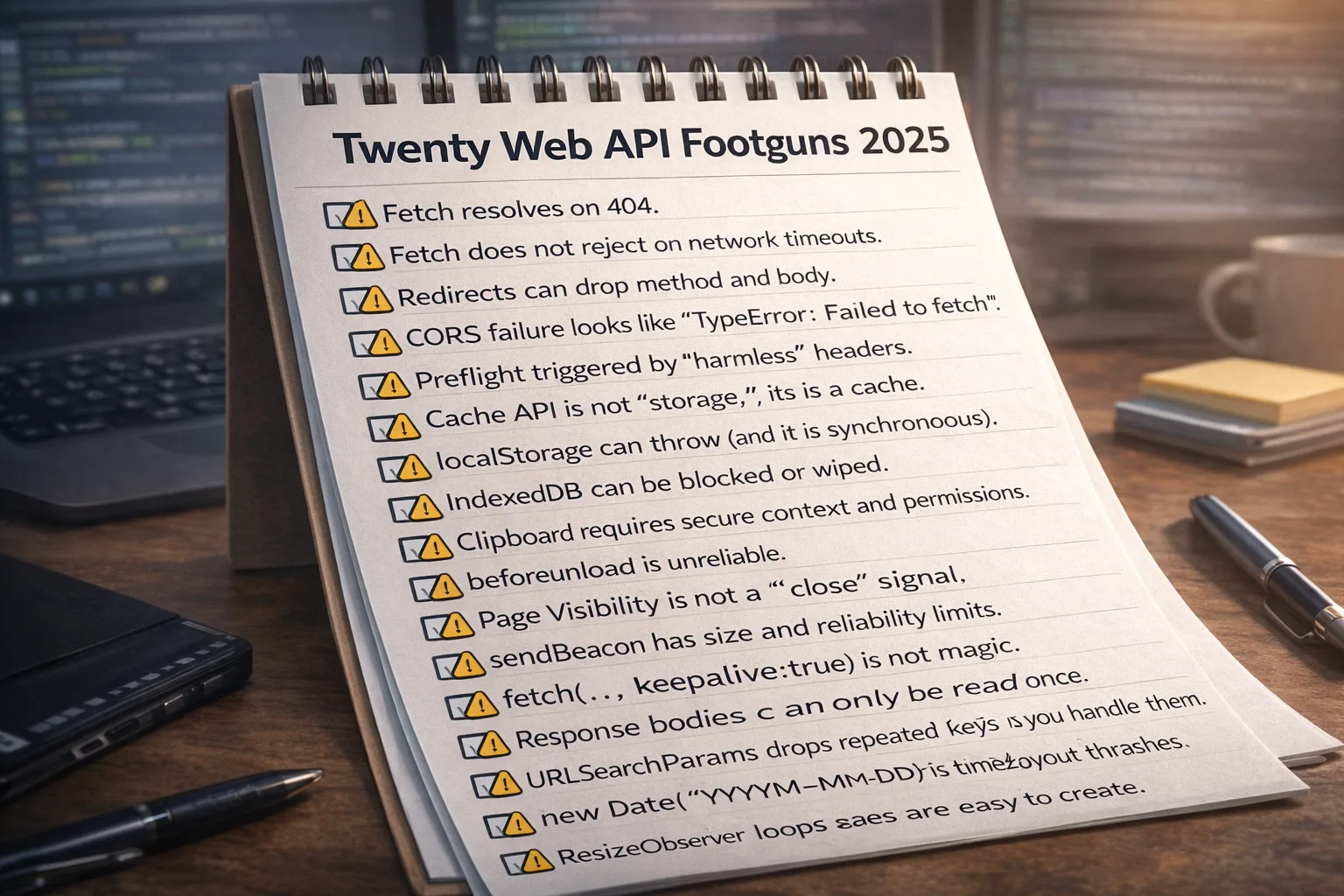
Twenty web API footguns I hit this year (with 10-line repros and the least-bad fixes)
December 22, 2025
I like modern web APIs. They let you ship real apps without plugins, native installs, or a framework doing magic behind your back.
But some APIs have sharp edges that only show up in production. Not in a tutorial. Not on your laptop. In real browsers, behind proxies, on mobile radios, on locked down enterprise devices, with ad blockers, and with third party cookies disappearing.
This is a list post in the “Fifty problems” spirit: quick hits, minimal repros, and the least-bad workaround that worked for me. Each repro is exactly 10 lines so you can paste it into a console or a small HTML page and see the behavior.
One note: some footguns are “by design.” The workaround is not “fix the browser.” The workaround is “design your app so you do not depend on the fragile path.”
1) Fetch resolves on 404
What it is: fetch() only rejects on network level failures. An HTTP 404 is still a successful HTTP response, so the Promise resolves.
Why it bites: teams accidentally treat “resolved Promise” as “request succeeded,” then cache error HTML, show empty UI, or proceed with bad data.
Reference: MDN Fetch API
Repro (10 lines):
(async () => {
  const r = await fetch('https://httpstat.us/404');
  console.log('ok?', r.ok);
  console.log('status', r.status);
  const t = await r.text();
  console.log('len', t.length);
  if (r.ok) console.log('unexpected');
  else console.log('still resolved');
  console.log('url', r.url);
})();
Least-bad workaround: treat HTTP errors as errors yourself. Always check r.ok and throw your own exception. Avoid silent fallthrough.
2) Fetch does not reject on network timeouts
What it is: there is no built-in fetch timeout. Many “timeouts” are really sockets hanging, proxies buffering, or servers never responding.
Why it bites: your UI can wait forever unless you add an abort signal and a timeout budget.
Reference: MDN AbortController
Repro (10 lines):
(async () => {
  const c = new AbortController();
  setTimeout(() => c.abort('timeout'), 500);
  try {
    await fetch('https://10.255.255.1/', { signal: c.signal });
    console.log('unexpected');
  } catch (e) {
    console.log('aborted', String(e.name || e));
  }
})();
Least-bad workaround: build timeouts with AbortController and a clear retry policy (exponential backoff, capped, with jitter).
3) Redirects can drop method and body
What it is: some redirect status codes (especially 301/302) allow user agents to change the method (often POST to GET) and drop the body.
Why it bites: API calls silently change semantics, and your server sees unexpected GETs. In prod it looks like “random missing writes.”
Reference: MDN Redirections
Repro (10 lines):
(async () => {
  const r = await fetch('https://httpbin.org/redirect-to?url=/anything&status_code=302', {
    method: 'POST',
    headers: { 'Content-Type': 'application/json' },
    body: JSON.stringify({ a: 1 }),
  });
  const j = await r.json();
  console.log('method', j.method);
  console.log('data', j.data);
})();
Least-bad workaround: avoid 302 for API redirects. Use 307/308 when you must preserve method/body. Better: do not redirect API POSTs.
4) CORS failure looks like “TypeError: Failed to fetch”
What it is: CORS is enforced by browsers, and they intentionally hide details. If the browser blocks access to the response, you often get an opaque error.
Why it bites: you cannot rely on meaningful error messages. You fix it on the server, but the client shows the same generic failure for many causes.
Reference: MDN CORS
Repro (10 lines):
(async () => {
  try {
    await fetch('https://example.com', {
      method: 'POST',
      headers: { 'X-Test': '1' },
    });
    console.log('unexpected');
  } catch (e) {
    console.log('opaque', String(e));
  }
})();
Least-bad workaround: assume CORS errors will be opaque. Debug using server logs, browser devtools, and by removing custom headers that trigger preflight.
5) Preflight triggered by “harmless” headers
What it is: some request shapes trigger an automatic OPTIONS preflight (custom headers, non-simple methods, some content types).
Why it bites: your POST “works locally” then fails behind proxies or strict servers because OPTIONS is blocked or misconfigured.
Reference: MDN CORS preflight
Repro (10 lines):
(async () => {
  const u = 'https://httpbin.org/anything';
  const r = await fetch(u, {
    method: 'POST',
    headers: { 'Content-Type': 'application/json', 'X-Debug': '1' },
    body: JSON.stringify({ ok: true }),
  });
  console.log('status', r.status);
  console.log('type', r.type);
})();
Least-bad workaround: keep requests “simple” when possible. Avoid custom headers unless you control the server and can handle OPTIONS properly.
6) Cache API is not “storage,” it is a cache
What it is: Cache Storage is designed for request/response pairs (primarily for offline assets). It can be cleared at any time.
Why it bites: people store user data there because it is easy, then lose it when the browser evicts caches or a policy clears them.
Reference: MDN CacheStorage
Repro (10 lines):
(async () => {
  const c = await caches.open('x');
  await c.put('/k', new Response('v'));
  const r = await c.match('/k');
  console.log('value', await r.text());
  await caches.delete('x');
  const r2 = await (await caches.open('x')).match('/k');
  console.log('after delete', r2);
})();
Least-bad workaround: do not store user data in Cache Storage. Use it only for fetchable assets. For user content, use IndexedDB or server storage.
7) localStorage can throw (and it is synchronous)
What it is: Web Storage is synchronous and can be blocked (privacy mode, storage disabled, quota exceeded) and then throws.
Why it bites: a single setItem() can crash a flow and it can also jank the main thread if you write large values.
Reference: MDN localStorage
Repro (10 lines):
(() => {
  try {
    localStorage.setItem('k', 'v');
    const v = localStorage.getItem('k');
    console.log('read', v);
  } catch (e) {
    console.log('blocked', String(e.name || e));
  }
  console.log('sync done');
})();
Least-bad workaround: wrap in try/catch and keep writes small. Use memory fallback when storage is blocked.
8) IndexedDB can be blocked or wiped
What it is: IndexedDB is async storage, but availability varies. Some environments block it, wipe it aggressively, or make it unstable under low disk.
Why it bites: you think you built “offline first,” but for a subset of users the DB never opens, opens then disappears, or fails mid-session.
Reference: MDN IndexedDB
Repro (10 lines):
(() => {
  const req = indexedDB.open('db', 1);
  req.onupgradeneeded = () => req.result.createObjectStore('s');
  req.onsuccess = () => console.log('opened', req.result.name);
  req.onerror = () => console.log('error', req.error && req.error.name);
  setTimeout(() => console.log('done'), 500);
  window.onunhandledrejection = (e) => console.log('unhandled', e.reason);
  console.log('requested');
})();
Least-bad workaround: treat IndexedDB as “best effort.” Always have a server backed path and a clean recovery story.
9) Clipboard requires secure context and permissions
What it is: the async Clipboard API generally requires HTTPS and user activation. Some browsers prompt, some deny silently.
Why it bites: copy buttons work for you but fail for users behind policies, in embedded contexts, or on HTTP.
Reference: MDN Clipboard API
Repro (10 lines):
(async () => {
  try {
    await navigator.clipboard.writeText('hello');
    console.log('copied');
  } catch (e) {
    console.log('blocked', String(e.name || e));
  }
  const ok = !!navigator.clipboard;
  console.log('hasAPI', ok);
})();
Least-bad workaround: provide a fallback copy UI using a selectable input and instructions. Trigger clipboard only on user gesture.
10) beforeunload is unreliable
What it is: browsers restrict beforeunload because it was abused. Many ignore custom messages, and some ignore the prompt entirely.
Why it bites: relying on a “Do you want to leave?” prompt for data safety is a trap. Mobile is especially strict.
Reference: MDN beforeunload
Repro (10 lines):
(() => {
  let n = 0;
  window.addEventListener('beforeunload', (e) => {
    n++;
    e.preventDefault();
    e.returnValue = '';
    console.log('asked', n);
  });
  console.log('try closing tab');
})();
Least-bad workaround: autosave continuously. Treat “confirm on exit” as a hint, not a guarantee.
11) Page Visibility is not a “close” signal
What it is: visibilitychange, pagehide, and lifecycle-ish events tell you about tab visibility and navigation, not guaranteed “final shutdown.”
Why it bites: backgrounding can happen without unload. Some browsers freeze pages, and network requests may not complete.
Reference: MDN Page Visibility API
Repro (10 lines):
(() => {
  document.addEventListener('visibilitychange', () => {
    console.log('hidden?', document.hidden);
  });
  window.addEventListener('pagehide', () => console.log('pagehide'));
  window.addEventListener('freeze', () => console.log('freeze'));
  window.addEventListener('resume', () => console.log('resume'));
  console.log('switch tabs, minimize, navigate');
})();
Least-bad workaround: save on intervals and on meaningful user actions. Use visibility events to reduce background work, not to finalize state.
12) sendBeacon has size and reliability limits
What it is: sendBeacon() is designed for small, fire-and-forget telemetry during page unload.
Why it bites: it is not a general-purpose upload API. Large payloads often fail or get dropped, and you do not get rich error handling.
Reference: MDN sendBeacon
Repro (10 lines):
(() => {
  const big = 'x'.repeat(200000);
  const ok = navigator.sendBeacon('/beacon', big);
  console.log('queued?', ok);
  window.addEventListener('unload', () => console.log('unload'));
  console.log('navigate away now');
})();
Least-bad workaround: send small beacons only (analytics, minimal telemetry). For important data, send earlier with normal fetch.
13) fetch(..., { keepalive:true }) is not magic
What it is: keepalive allows requests to outlive page navigation, but browsers enforce strict size and resource limits.
Why it bites: teams use it for critical writes (saving data on close), then lose data because the browser drops or caps the request.
Reference: MDN Request.keepalive
Repro (10 lines):
(() => {
  fetch('/api/ping', { method: 'POST', keepalive: true, body: 'x'.repeat(100000) })
    .then(() => console.log('sent'))
    .catch((e) => console.log('failed', String(e)));
  setTimeout(() => location.href = '/', 50);
  console.log('leaving soon');
})();
Least-bad workaround: keepalive is for small payloads and best-effort delivery. Do not use it for critical writes.
14) Response bodies can only be read once
What it is: response streams are consumable. Once you read the body (text/json/arrayBuffer), it is gone.
Why it bites: logging middleware and error handlers accidentally consume the body, then business logic fails when it tries to parse.
Reference: MDN Response
Repro (10 lines):
(async () => {
  const r = await fetch('https://httpbin.org/json');
  const a = await r.text();
  console.log('first', a.length);
  try {
    const b = await r.json();
    console.log('second', b);
  } catch (e) {
    console.log('boom', String(e.name || e));
  }
})();
Least-bad workaround: choose one read method. If you need both, clone the response with r.clone() before reading.
15) URLSearchParams drops repeated keys unless you handle them
What it is: URLSearchParams supports repeated keys, but common helpers like get() return only the first value, and set() overwrites.
Why it bites: tags, filters, and multi-select UIs mysteriously lose state when you rebuild URLs.
Reference: MDN URLSearchParams
Repro (10 lines):
(() => {
  const u = new URL('https://x.test/?tag=a&tag=b');
  const p = u.searchParams;
  console.log('get', p.get('tag'));
  console.log('all', p.getAll('tag'));
  p.set('tag', 'c');
  console.log('after set', u.toString());
  console.log('size', [...p.keys()].length);
})();
Least-bad workaround: use getAll for multi-value params. Avoid set if you need to preserve duplicates.
16) new Date('YYYY-MM-DD') is timezone-sensitive
What it is: parsing date-only strings can behave differently than you expect across environments. Local time zone offsets can shift the day.
Why it bites: you render “Dec 23” for some users and “Dec 24” for others, causing hydration mismatches and user confusion.
Reference: MDN Date
Repro (10 lines):
(() => {
  const d = new Date('2025-12-24');
  console.log('iso', d.toISOString());
  console.log('local', d.toString());
  console.log('y', d.getFullYear());
  console.log('m', d.getMonth() + 1);
  console.log('day', d.getDate());
  console.log('tz', Intl.DateTimeFormat().resolvedOptions().timeZone);
})();
Least-bad workaround: store timestamps as full ISO strings with timezone (2025-12-24T00:00:00Z) or store dates as plain strings and format them explicitly.
17) IntersectionObserver misses when layout thrashes
What it is: IntersectionObserver watches layout intersections, but rapid DOM changes, virtualization, and scroll jumps can produce surprising timing.
Why it bites: “infinite scroll” triggers too early, too late, or not at all on slower devices, especially when content height changes.
Reference: MDN Intersection Observer API
Repro (10 lines):
(() => {
  const el = document.createElement('div');
  el.style.height = '2000px';
  document.body.appendChild(el);
  const io = new IntersectionObserver((e) => console.log('seen', e[0].isIntersecting));
  io.observe(el);
  window.scrollTo(0, 1500);
  setTimeout(() => el.style.height = '10px', 10);
  console.log('scrolled');
})();
Least-bad workaround: treat it as a hint. Debounce layout changes, and always provide a manual “Load more” fallback.
18) ResizeObserver loops are easy to create
What it is: ResizeObserver fires when element size changes. If your callback changes size again, you can create feedback loops.
Why it bites: you get “ResizeObserver loop limit exceeded” warnings and janky rendering that is hard to reproduce consistently.
Reference: MDN ResizeObserver
Repro (10 lines):
(() => {
  const box = document.createElement('div');
  box.style.width = '100px';
  document.body.appendChild(box);
  const ro = new ResizeObserver(() => box.style.width = (box.offsetWidth + 1) + 'px');
  ro.observe(box);
  setTimeout(() => ro.disconnect(), 200);
  console.log('watching');
})();
Least-bad workaround: never mutate observed size synchronously in the callback. Schedule changes with requestAnimationFrame and guard against feedback.
19) postMessage without origin checks is a security bug
What it is: postMessage enables cross-window communication (iframes, popups). It is powerful and easy to misuse.
Why it bites: using '*' and not validating e.origin allows other sites to send commands into your app.
Reference: MDN Window.postMessage
Repro (10 lines):
(() => {
  window.addEventListener('message', (e) => {
    console.log('from', e.origin);
    console.log('data', e.data);
  });
  window.postMessage({ cmd: 'doThing' }, '*');
  console.log('sent');
})();
Least-bad workaround: always check e.origin and validate message shape. Never use '*' for targetOrigin unless there is no sensitive data.
20) window.open can return null (popup blockers)
What it is: browsers block popups unless triggered by a direct user gesture. window.open() can return null.
Why it bites: auth flows, share flows, and payment flows break silently when you assume the new window exists.
Reference: MDN Window.open
Repro (10 lines):
(() => {
  const w = window.open('https://example.com', '_blank');
  if (!w) {
    console.log('blocked');
    return;
  }
  console.log('opened');
  setTimeout(() => w.close(), 500);
})();
Least-bad workaround: only open new windows on direct user gesture (click). Provide a normal link fallback and do not assume the window exists.
A closing pattern that saved me
Across all 20: I stopped treating “works in my browser” as success. I started building with fallbacks, explicit error handling, and a bias toward boring defaults.
If you want one checklist to apply immediately:
- Treat every browser API call as fallible.
- Give users a manual fallback path.
- Log the failure mode with enough context to debug.
- Avoid clever protocols on hostile networks.
- Prefer explicit metadata and deterministic formatting.
If you want, I can turn any single item into a longer deep-dive post with a tiny repo and a test matrix.