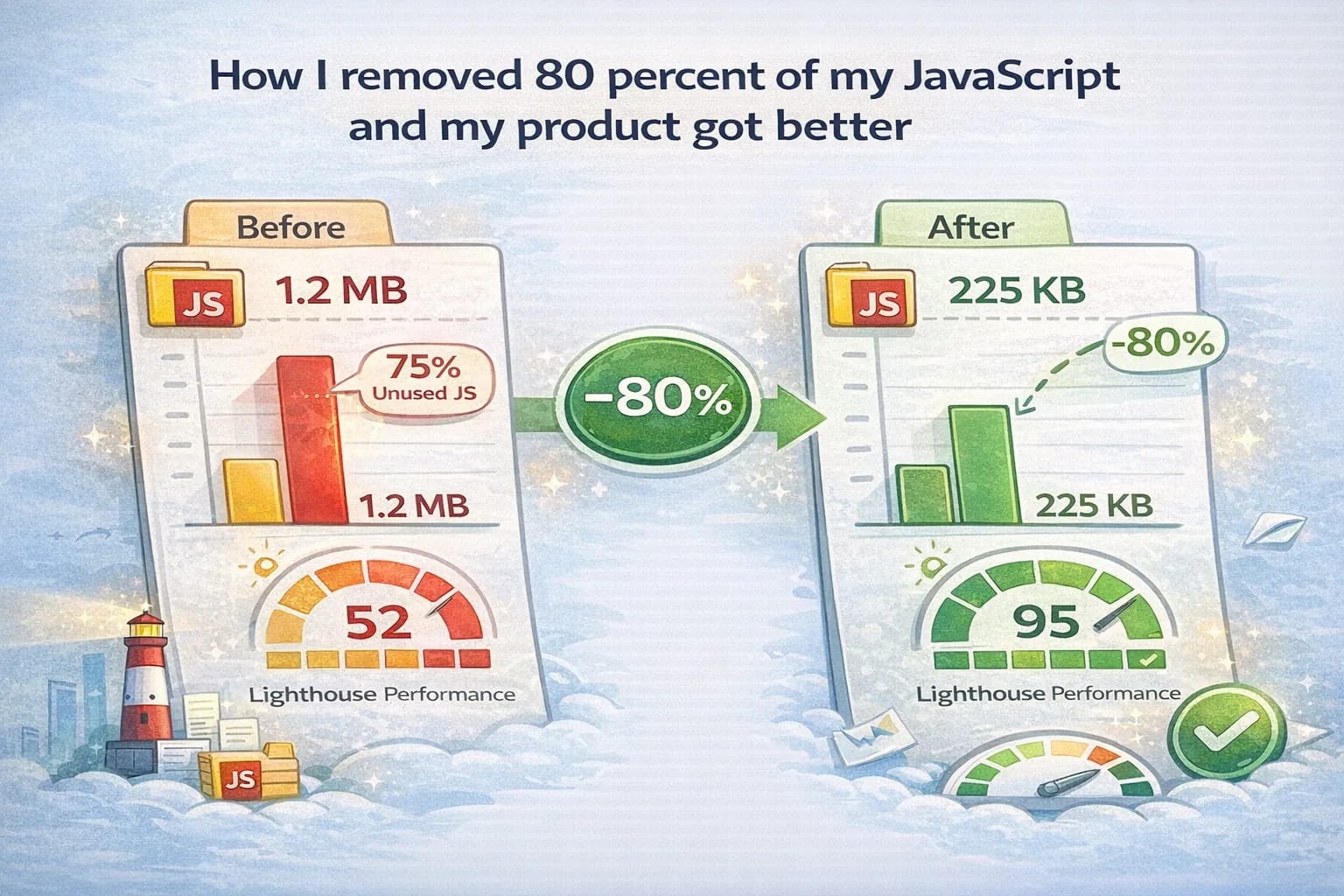
How I removed 80 percent of my JavaScript and my product got better
December 19, 2025
I used to ship my product with the default mindset: JavaScript first, everything interactive, hydrate the whole page, and call it modern.
It worked fine on my machine. It worked fine on my Wi‑Fi. It even worked fine in Lighthouse when I ran it on a warm laptop right after lunch.
Then I got the kind of feedback you do not forget.
One user told me the page felt “sticky” on their phone. Another said it loaded, then paused, then loaded again. Someone in a locked down corporate network sent a screenshot where the UI half rendered and the controls never woke up. It was not a dramatic outage. It was worse. It was a quiet tax on every visit.
I did what a lot of us do at first. I argued with reality in my head. Maybe their device is old. Maybe their connection is bad. Maybe their browser extensions are weird.
Then I finally did the adult thing and measured.
When I looked at route sizes, long tasks, and the amount of client code that existed just to keep a UI looking “app-like,” it was obvious: most of my JavaScript was not adding value. It was adding fragility. So I removed roughly 80 percent of it. The product got faster, calmer to maintain, and more accessible.
This post is the playbook I wish I had earlier. It is not a motivational thread. It is how to do the work without lying to yourself.
What I mean by “removed 80 percent”
I do not mean “no JavaScript.” I mean I stopped paying JavaScript costs for features that did not deserve it.
In practice, the big wins came from three moves that sound simple and feel uncomfortable in a modern codebase: ship less client code by default, lean harder on native HTML for “interactive” UI that is actually just disclosure and navigation, and cut dependency creep before it becomes permanent rent on every route.
If you like grounding docs, here are two references that keep the conversation honest: Web.dev performance and Core Web Vitals.
The moment I stopped trusting my gut
My gut told me the app was “fast enough.” My gut was wrong.
What changed was building a small baseline that I could repeat. Not a one‑time benchmark, not a screenshot, not vibes. A baseline I could re-run after each change.
The baseline I captured
I used three angles: what I ship, what the browser does, and what users feel.
1) What you ship (bundle weight)
On Next.js, next build gives you per-route sizes. It is not the full truth, but it is a consistent starting point and it is available for free in every build.
Reference: Next.js build output
2) What the browser does (execution cost)
This is where “small code” lies to you. A small bundle can still cause long tasks if it triggers heavy hydration work or pulls in a library that does surprising things at runtime.
I used Chrome DevTools Performance on a cold load and looked for two patterns:
- “Evaluate Script” that blocks the main thread.
- Long tasks that align with hydration and initialization.
If you want another blunt tool, DevTools Coverage is a quick way to see code you shipped but did not use on that route.
3) What users feel (vitals)
I tracked LCP, INP, and CLS. If you have RUM, use it. If you do not, use Lighthouse or WebPageTest as a repeatable approximation and stick to a routine: run it multiple times and take the median.
Reference: Core Web Vitals
Accessibility baseline
Before changing anything, I did a keyboard-only pass. No fancy tooling. Just tab, shift-tab, enter, escape, and a sanity check that focus never disappeared into a void.
It matters because JS-heavy UI tends to accumulate little traps: clickable divs, broken focus order, missing labels. When you simplify markup later, you want to know what got better and what got worse.
Reference: WCAG
The performance scorecard I actually use
Instead of a fake “before/after” table with made-up numbers, here is a real scorecard that tells you exactly what to measure, where to pull it from, and what patterns usually signal too much JavaScript.
| Metric | Where to measure | What to look for | What it usually means |
|---|---|---|---|
| JS shipped per route | Next.js build output | Large route bundles on pages that are mostly reading + links | A shared component imports a heavy library and leaks into every page |
| Long tasks on load | Chrome DevTools Performance | Repeated long “Evaluate Script” blocks + main-thread stalls | Hydration/init work is too heavy, or you’re running expensive code before first interaction |
| INP (interaction latency) | Core Web Vitals (field data preferred) | Clicks/typing feel delayed even when the page is “loaded” | Too much JS work competes with user input on the main thread |
| LCP (largest paint) | Core Web Vitals + Lighthouse (lab checks) | The main content appears late (hero/text waits on scripts) | Too much blocking work before content is stable, or heavy client code building the UI |
| CLS (layout stability) | Core Web Vitals | Layout “jumps” after initial paint | Hydration differences, missing sizes, or late-loading assets shifting layout |
| Keyboard pass | Manual: Tab / Shift+Tab / Enter / Escape | Focus always visible; controls usable without a mouse | Native semantics are working; fewer custom JS controls means fewer accessibility footguns |
Evidence trail
When you run this scorecard, save the DevTools trace export and the exact commit hash. That’s how you keep this work honest and repeatable.
The measurement routine (so it doesn’t become vibes)
This is the short routine I used every time I changed something meaningful:
- Cold load the page.
- Record a Performance trace.
- Click the first real interaction (the thing users actually come for).
- Stop recording.
- Only then look at the timeline and long tasks.
What I ignore on purpose
I ignore tiny tasks and micro-optimizations at the start. If you can delete a dependency or stop hydrating a big tree, that will beat any 5ms “tuning.”
The audit that changed everything: list interactions like a product person
Here is the exercise that made the rest obvious.
I opened each route and wrote down every interaction a user could do. Not in code terms. In human terms.
Then I tagged each one. Not with framework words. With responsibility words: must work instantly (core job), nice to have (smoother, not required), can be delayed (fine after load), and does not need JS (the gold mine).
It is amazing how many “interactive” things are actually presentation problems.
A simple rule for smarter pages
If an interaction is not the core job of the page, it does not get to demand JavaScript by default. Make it work as HTML first, then enhance it.
Example: an FAQ that used to cost real JS
I used to implement FAQs with React state because that is what you do when you think like a framework.
Then I replaced it with native HTML:
<details>
  <summary>Can I share a notebook?</summary>
  <p>Yes. You can generate a link and send it to someone.</p>
</details>
That change did not just reduce code. It removed an entire category of bugs: focus weirdness, keyboard edge cases, click handler conflicts, and the “why does this break when JS loads late” class of problems.
References I used while doing this: MDN details and MDN dialog.
Shrinking the hydrated surface area (without pretending hydration is evil)
Hydration is not a villain. It is a cost. The mistake is paying it everywhere.
On the Next.js Pages Router, your React tree still hydrates. The way out is not a fantasy where nothing hydrates. The way out is to keep most of your pages boring on purpose.
I looked for three patterns and treated them as bugs, not style preferences.
First: state that exists only to manage styling. If the only reason you have state is to toggle a class name, you are usually paying JS cost for a CSS decision. Second: lists that became components “because React,” even though they are just links. Those pages do not need cleverness, they need fast paint and good markup. Third: tiny behaviors that import big libraries. That is the silent killer. A dropdown that pulls in a UI system is not a dropdown anymore; it is a dependency tree you now ship.
This is where progressive enhancement stops being a slogan. Ship HTML first, then add JS only where it clearly improves the core job.
Reference: Progressive enhancement
A quick smell test for “this shouldn’t be client code”
Whenever I was unsure, I asked three questions:
- If JavaScript fails to load, does the page still deliver the main value?
- If the user never clicks this control, did we still ship code for it?
- Is the state describing data, or just describing styling?
If you get “no / yes / styling,” you have a strong candidate to simplify.
The part nobody wants to do: delete dependency creep
If you are looking for the “80 percent,” it is usually not your business logic. It is the wrappers. It is the utilities. It is the “just one small package” that ends up on every route.
I started treating every dependency like it had rent. If I could not answer “what problem does it solve, where is it used, and what does it cost,” I stopped pretending it was harmless.
If I could not answer those in one minute, it was a red flag.
To make this concrete, I used a bundle analyzer and stared at the results until the page stopped looking like magic and started looking like a graph.
References: Webpack Bundle Analyzer and Next.js bundle analyzer example
My dependency rules
- If it ships to every route, it must be tiny and boring.
- If it’s used on one page, it must not leak into shared components.
- If it replaces native HTML behavior, it needs a very good reason.
A weird bonus: accessibility improved because I stopped fighting the browser
This surprised me the first time, even though it should not have.
When you build everything with JS, you accidentally take responsibility for behavior browsers already solved: keyboard navigation, focus management, semantics.
When I swapped custom UI for native elements and simpler markup, accessibility got better for boring reasons: fewer click handlers that broke keyboard navigation, more real <button> and <a> elements, and fewer places where focus could get lost.
If you want a quick sanity check, do a keyboard-only pass and look for three mistakes: actions that are not buttons, navigation that is not links, and inputs without labels.
References: MDN button and MDN label
Where JavaScript is still worth it (where it pays rent)
I did not “quit JavaScript.” I stopped paying for it in places where it did not matter.
In my product, JavaScript was still worth it where the experience genuinely depends on it: rich editing (keyboard shortcuts, multi-select, drag and drop), live updates when collaboration matters, and lightweight caching that makes repeat interactions feel instant.
Even there, I try to keep one rule: the page should remain useful if scripts load late, and the server remains the source of truth.
How this helps SEO (without gimmicks)
SEO is not a plugin and it is not a trick. It is what happens when a page is easy to crawl and genuinely useful.
Reducing JavaScript helps in direct ways: content is visible earlier, fewer runtime errors block rendering, and layout tends to be more stable. The biggest SEO win, though, is social. Smart readers link to pages that load instantly and say something real.
Reference: Google Search Central
The checklist I actually use now
I do not start with “remove JS.” I start with a budget and a promise to re-measure.
I measure shipped JS and executed JS (both), list interactions in human language, replace the easy wins with native HTML, and delete dependency creep with a bundle analyzer. Then I rerun the baseline and do a keyboard pass again. Only after that do I decide where JavaScript is truly worth it, and I put those features on a performance budget so they do not quietly sprawl back.
Final thought
If your product is mostly information, organization, and sharing, the default should be: ship HTML first, then add JavaScript only where it makes the core job meaningfully better.
That one bias tends to improve performance, accessibility, SEO, and maintenance at the same time. Not because it is ideology, but because fewer moving parts usually means fewer failures.