How to Make a Learning Playlist That Works
December 20, 2025
A learning playlist is a short, ordered set of links that take you from zero to useful. It is not a dump of everything you find. It is a path with a start, a middle, and a finish.
Define the finish line
Write a one sentence completion statement. For example: “Be able to build a responsive landing page with Tailwind and Next.js.” Now you can judge every link by whether it helps reach that outcome.
Use phases
Group links into four phases:
- Orientation: one or two overviews
- Fundamentals: docs and clear tutorials
- Practice: small projects or exercises
- Depth: advanced concepts or patterns
Keep each phase tight. Two or three links is plenty. The goal is progress, not collecting.
Add tiny instructions
For each link, write a micro instruction. Examples:
- Watch first ten minutes for the mental model
- Skim the examples section only
- Build the form and deploy it
Instructions shorten decision time and keep you moving.
Build momentum
Set a cadence. Fifteen to thirty minutes per day beats a single long session that you cancel. Track wins. When you finish a phase, mark it in the title of the playlist so you feel progress.
Share and import
Share the playlist when you finish Fundamentals. Ask a friend to import it and try it. Their questions will reveal gaps. Update the list, then move on to Practice.
A learning playlist does not need to be perfect. It needs to be clear, short, and pointed at an outcome. That is how you learn faster without burning out.
Why most learning playlists fail
Most “playlists” fail for boring reasons:
- They try to cover an entire subject, not a single outcome.
- They mix levels (advanced patterns next to beginner intros) and create whiplash.
- They have no instructions, so you spend half your time deciding what to do.
- They never get pruned, so you return to a pile of links and feel behind.
The fix is not more discipline. The fix is designing the playlist so it has an ending and low friction.
Step 1: Pick a goal that produces an artifact
The best goals produce something you can point at:
- a deployed page
- a small feature in your product
- a written summary you can share
- a checklist you can reuse
Bad goals are vague (“learn React”). Good goals are specific (“build a form that validates input, submits to an API, and shows error states”).
If you want a simple template, use this:
- Goal: I want to be able to build a responsive landing page with Tailwind and Next.js.
- Artifact: I will prove it by shipping one deployed page with a form, basic analytics events, and clean SEO metadata.
- Timebox: I will do it in 7 days.
When your goal produces an artifact, it naturally filters your sources.
Step 2: Collect sources, then triage
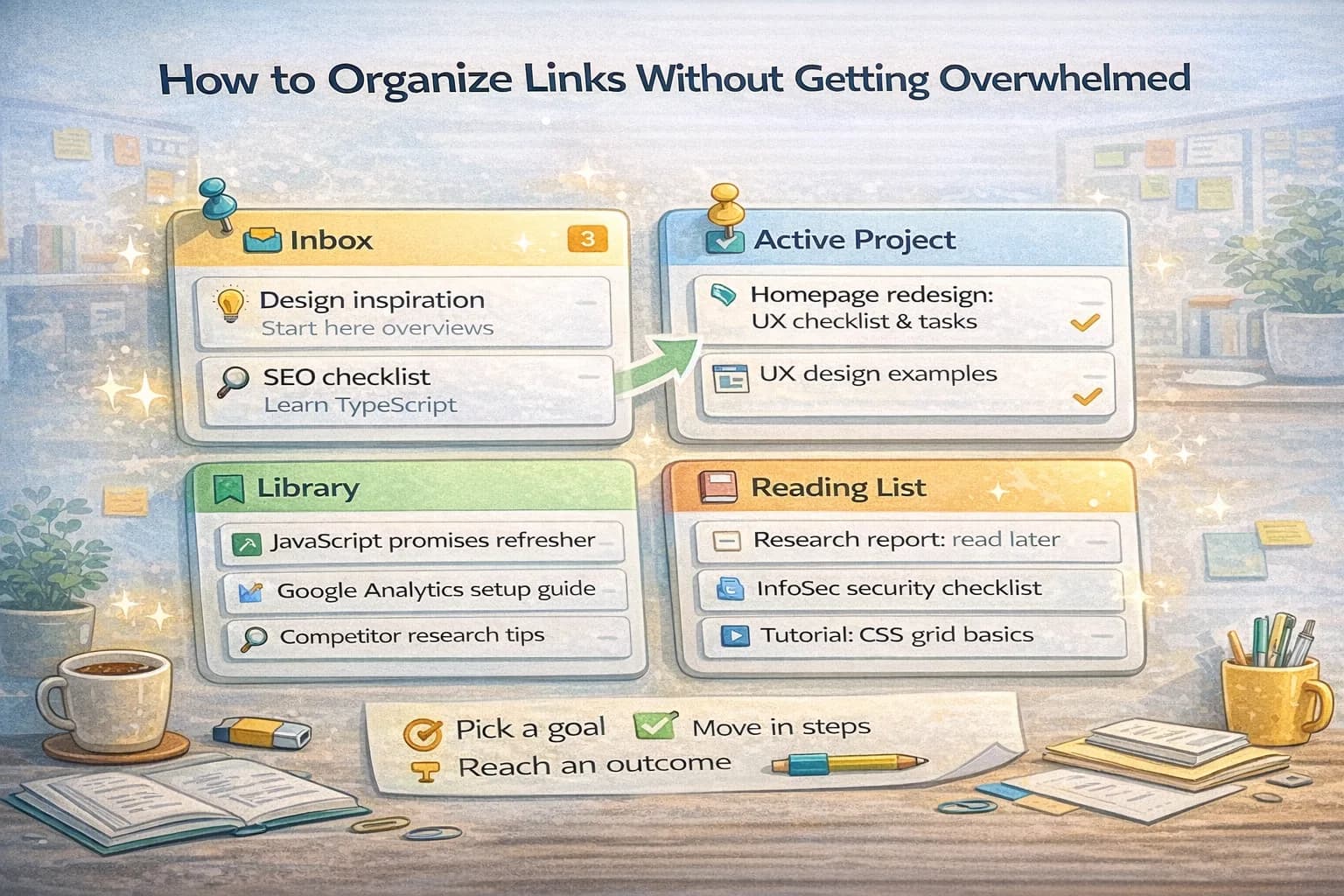
In the capture phase, you are allowed to move fast. Save links without judging them. After you have 10–20 links, do a short triage pass.
Use a three-label system:
- Keep: high signal, clearly relevant.
- Maybe: looks useful but needs a skim.
- Drop: duplicate, off-topic, low quality.
The triage pass prevents the playlist from becoming a guilt drawer.
Step 3: Build a 4-phase path (orientation → fundamentals → practice → depth)
Your earlier phase breakdown is the right shape. Here is how to make it practical.
Orientation (1–2 links)
Goal: understand the vocabulary and constraints.
- Choose one overview.
- Choose one “what can go wrong” piece.
You are not trying to master anything here. You are trying to reduce confusion.
Fundamentals (2–4 links)
Goal: learn the core concepts that you will apply.
- Prefer official docs and stable references.
- Avoid “10 tricks” style posts unless they include real examples.
Practice (2–4 links)
Goal: build something.
This phase should contain:
- a small project
- an exercise
- a walkthrough you can follow
Practice is where learning becomes durable.
Depth (optional, 1–3 links)
Goal: level up after you can already do the thing.
Depth is for patterns, tradeoffs, and performance.
If you never reach depth, that is fine. A finished playlist beats a perfect playlist.
Step 4: Add micro-instructions so you keep moving
Micro-instructions are the secret weapon because they remove decision fatigue.
Good micro-instructions are not “read this.” They are task-shaped:
- “Read the introduction and the API reference only. Skip the history section.”
- “Build the example twice: once following the guide, once without looking.”
- “Take notes: list 3 constraints and 3 common mistakes.”
If you use ClipNotebook, you can put the instruction directly into the link title so it stays visible while scanning.
Examples of strong link titles:
- “Orientation: Core Web Vitals overview (skim thresholds)”
- “Fundamentals: Next.js routing (read dynamic routes section)”
- “Practice: Build a form (implement errors + loading states)”
- “Depth: Avoid hydration traps (read pitfalls)”
Step 5: Set a cadence that you can actually keep
Consistency beats intensity.
Pick a cadence that is boring on purpose:
- 20 minutes/day for a week, or
- 45 minutes three times/week
You want the cadence to survive a busy day.
If you have a habit of over-scoping, set a hard rule: you are not allowed to add new links during practice sessions. Practice time is for building.
Step 6: Turn the playlist into a progress tracker
The fastest way to burn out is “I read a lot” with no visible progress.
Use lightweight progress markers in the link titles:
- “(done)” when you finish
- “(revisit)” if it was useful but you need it later
- “(skip)” if it is low signal
This makes your playlist look like momentum instead of debt.
Step 7: A complete example playlist (learn Next.js performance basics)
Here is a realistic example of a short playlist that has an outcome.
Goal: improve a content-heavy page’s performance and verify the improvement.
Orientation
- Core Web Vitals — skim what LCP/CLS/INP mean
- Chrome DevTools Performance — learn how to record a trace
Fundamentals
- Learn Performance — read “JavaScript” and “Rendering” sections
- Next.js build output — learn how to read per-route size output
Practice
- Run Lighthouse, record LCP/INP/CLS baselines, and write them down
- Remove one obvious cost (a heavy dependency, a hydration-heavy widget)
- Re-run the baseline and confirm the change improved the measured outcome
Depth
- Progressive enhancement — re-check which parts need JS
The key is that the practice step is concrete: you measure, change one thing, and verify.
Step 8: Share early to make the playlist better
If you only share when it is “perfect,” you will never share.
Share after the Fundamentals phase. Ask a friend:
- “Is the order logical?”
- “What would you remove?”
- “Where would you get stuck?”
Other people’s questions reveal missing steps and confusing terms.
Common mistakes (and quick fixes)
These are the mistakes that cause “I made a playlist but I didn’t learn anything”:
- The playlist is a reading list, not a path
If the links don’t have an order that builds toward practice, you will bounce between concepts and never feel progress.
Fix: rewrite the first five links so they form a clean sequence: orientation → fundamentals → one small practice item.
- You add links faster than you complete them
This creates the worst feeling: the playlist grows while your progress shrinks.
Fix: during the Practice phase, forbid yourself from adding new links. If you find something new, save it in a separate “later” notebook and return to building.
- You don’t write the micro-instruction
When you return later, the link looks familiar but you can’t remember why it mattered.
Fix: add a one-line takeaway to the title: “why it belongs” and “what to do with it.”
- You never define what “done” means
If there is no finish line, the playlist becomes permanent and you stop trusting it.
Fix: the finish line must be an artifact: a deployed page, a short write-up, or a completed exercise.
Final checklist
Before you call a playlist “done,” check:
- The goal is one sentence.
- The playlist has 6–12 links, not 60.
- Every link has a micro-instruction.
- There is at least one practice step that produces an artifact.
- You wrote down what “done” looks like.
- You pruned duplicates and weak sources.
If your playlist satisfies this checklist, it will work. Not because it is fancy, but because it is designed to move you from reading to doing.
How to choose high-signal sources
Not all learning resources are equal. To keep your playlist short, prioritize sources that:
- include real examples (code, screenshots, step-by-step)
- explain trade-offs, not just “how”
- are recent enough for the tools you use
When possible, anchor your Fundamentals phase in primary sources (official docs). Then use one or two practitioner guides to translate the docs into real-world behavior.
Design practice items so they are small and measurable
Practice should be easy to start and easy to verify.
Good practice items:
- build a tiny feature you can ship
- replicate one example from scratch
- write a short summary and teach it back
Bad practice items:
- “build a full app”
- “study until you understand”
If practice is too big, you will procrastinate and the playlist becomes a reading list again.
Add a review loop so learning compacts
At the end of each phase, do a 10-minute review:
- Write 5 bullets: what you can do now.
- Write 3 mistakes to avoid.
- Save 2 references into your Library playlist.
This prevents learning from evaporating. It also means your next playlist starts with better inputs.
Sharing etiquette: how to make your playlist useful to others
When you share a playlist, assume the reader has less context than you.
Include:
- what the playlist is for
- the expected time commitment
- the “finish line” artifact
If you do this, your playlist becomes a real learning path someone else can follow, not a personal dump of links.