Model Context Protocol explained with a real project (a tiny MCP AI agent + two tools)
December 22, 2025
If you have ever built an agent that can "use tools," you have probably felt the pain. The first demo looks easy, then real life shows up: one tool works, another tool breaks, logs are missing, and safety rules live half in prompt text and half in random utility functions.
Model Context Protocol (MCP) exists to make that boundary explicit. In practice, model context protocol is a tool calling protocol that standardizes how an agent discovers tools and calls them with structured inputs and structured outputs. The point is not that it uses JSON. The point is that the tool surface becomes something you can inspect, log, audit, and lock down.
That is why AI agent integration is getting mainstream attention, including chatter tied to Windows developer previews and coverage in places like Windows Central. When agents stop being a toy, you need a repeatable way to wire them to real systems. MCP is one of the cleanest attempts at making that wiring predictable.
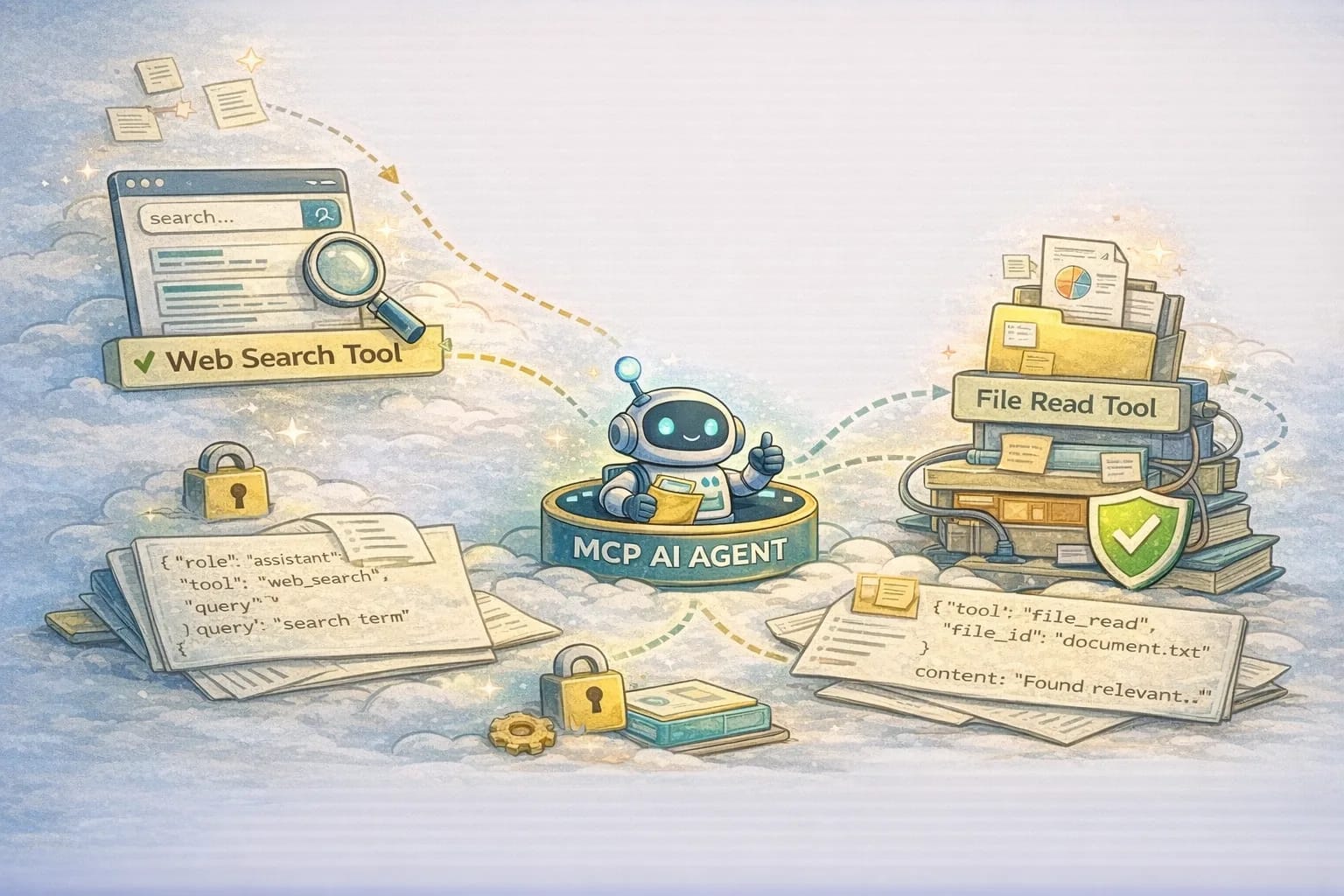
This is a practical MCP tutorial. We will build AI agent with MCP as a tiny real project that uses two tools:
read_file: read-only file access (with an allowlist and byte limits)web_search: a minimal search connector (rate-limited, small outputs)
Along the way you will see the request and response shape, the folder structure, and the MCP security rules that keep this from leaking secrets.
MCP explained in simple terms
An MCP setup has three roles:
- MCP client: the app that hosts the model and decides when to call tools.
- MCP server: the process that exposes tools with schemas and enforces policy.
- Tools: named functions with a JSON input schema and a structured output.
Here is the single sentence that keeps you honest: the model does not "do things" directly. It requests tool calls. Your MCP client executes them, and your MCP server enforces what they are allowed to touch.
That server boundary is where real products put the boring but essential stuff: allowlists, timeouts, rate limits, redaction, audit logs, and "no".
If you already use tool calling in an LLM API, MCP is the layer that turns ad hoc tool glue into reusable agent tool connectors. One server can serve multiple clients. One tool schema can be validated consistently. One logging shape can be reused across tools.
The real project we are building
We will build a tiny project with a server and an agent. The important part is the separation: server owns policy, agent owns decision making.
mcp-tiny-agent/
  README.md
  server/
    package.json
    src/
      server.ts
      policy.ts
      tools/
        readFile.ts
        webSearch.ts
  agent/
    package.json
    src/
      agent.ts
      prompts.ts
      run.ts
This structure prevents a common failure mode: people put safety rules in prompts, then they swap models or change a system instruction and accidentally remove the safety. In this project, the server enforces policy regardless of what the model tries.
If you prefer Python, the same concept maps cleanly to FastMCP on the server side and to LangGraph MCP connectors on the orchestration side. The libraries change, but the architecture does not.
The protocol shape: what actually goes over the wire
MCP is usually transported over stdio for local tools (client spawns server and talks over stdin/stdout), but the key thing to learn is the message shape. Most MCP stacks use a JSON-RPC style format because it is easy to correlate request and response with an id.
When you debug MCP, you debug these things:
- which
methodwas called - what
paramswere sent - whether arguments match the tool schema
- what error came back
- what content was returned
Here is a simplified but practical flow.
1) Initialize
Client identifies itself and declares tool support.
{
  "jsonrpc": "2.0",
  "id": 1,
  "method": "initialize",
  "params": {
    "client": { "name": "mcp-tiny-agent", "version": "0.1.0" },
    "capabilities": { "tools": true }
  }
}
Server replies with its identity and capabilities.
{
  "jsonrpc": "2.0",
  "id": 1,
  "result": {
    "server": { "name": "mcp-tiny-server", "version": "0.1.0" },
    "capabilities": { "tools": true }
  }
}
In real projects this handshake is where you capture what version was running when something went wrong. Versioned logs are how you stop "it worked yesterday" arguments.
2) List tools
The client asks for the tool catalog.
{ "jsonrpc": "2.0", "id": 2, "method": "tools/list", "params": {} }
The server returns tool definitions. Each tool has a name, a description, and an input schema.
{
  "jsonrpc": "2.0",
  "id": 2,
  "result": {
    "tools": [
      {
        "name": "read_file",
        "description": "Read a UTF-8 text file from an allowlisted workspace directory",
        "inputSchema": {
          "type": "object",
          "properties": {
            "path": { "type": "string" },
            "maxBytes": { "type": "number" }
          },
          "required": ["path"]
        }
      },
      {
        "name": "web_search",
        "description": "Search the web and return a small set of snippets and URLs",
        "inputSchema": {
          "type": "object",
          "properties": {
            "query": { "type": "string" },
            "maxResults": { "type": "number" }
          },
          "required": ["query"]
        }
      }
    ]
  }
}
This tool list is where a ton of bugs get caught early. If your schema says maxResults is a number and your agent sends a string, you can reject it consistently. If your description is vague, models call tools wrong. Write descriptions like you are writing an API doc, not marketing.
3) Call a tool
The client calls a tool by name with JSON arguments.
{
  "jsonrpc": "2.0",
  "id": 3,
  "method": "tools/call",
  "params": {
    "name": "read_file",
    "arguments": {
      "path": "content/blog/locked-down-networks-web-app.md",
      "maxBytes": 8000
    }
  }
}
The server returns content in a structured format.
{
  "jsonrpc": "2.0",
  "id": 3,
  "result": {
    "content": [
      {
        "type": "text",
        "text": "---\ntitle: ..."
      }
    ]
  }
}
That structure is what makes MCP practical: you can audit tool usage. You can measure latency. You can cap output size. You can decide what content types you allow.
What you should log for every tool call
If you want your system to stay healthy as you add tools, logging is not optional. Log the boring stuff consistently. At minimum, each tool call should emit:
- tool name
- request id
- start time and duration
- argument keys (not full args by default)
- policy decision (allow, deny, require approval)
- result type and size
- error code and error message
This is what turns "the agent did something weird" into a solvable bug, and it is what makes cost and performance problems visible.
A quick tool risk matrix
Tools are not equally dangerous. Categorizing them early prevents you from accidentally exposing a write capability because it was convenient.
| Tool type | Typical risk | Default guardrails |
|---|---|---|
| Read local files | Secret leakage, data exposure | Allowlist roots, block traversal, byte limits, redact |
| Web search | Prompt injection via snippets, runaway calls | Rate limit, cap results, do not auto-follow instructions |
| Fetch arbitrary URLs | SSRF, malware content, internal network access | Deny by default, allowlist hosts, strict timeouts |
| Write files | Repo damage, persistence, supply chain risk | Approval gate, restricted paths, diff previews |
| Execute commands | Remote code execution, catastrophic actions | Do not expose unless you are building a sandboxed product |
This table is a fast way to have the right conversation in a team. If someone wants to add a tool, you ask: which row is it, and what guardrails exist.
Implementing the two tools (server side)
We will write the MCP server so each tool has a name, an input schema, and a handler. The server also owns the policy layer. Keep that policy in one file so you can review it like security-critical code.
Tool 1: read_file
read_file sounds harmless until you realize it is the easiest exfiltration tool you can accidentally ship. If an agent can read arbitrary files, it will eventually read .env, SSH keys, build logs with tokens, or internal config.
So the server must enforce rules that do not depend on the prompt:
- allowlist root folders
- block traversal (
..) and absolute paths - cap bytes per read
- optionally redact obvious secret patterns
Here is a minimal policy layer:
// server/src/policy.ts
export const ALLOWED_ROOTS = [
  "content/",
  "public/",
];

export function assertSafePath(p: string) {
  if (p.includes("..")) throw new Error("Path traversal blocked");
  const ok = ALLOWED_ROOTS.some((root) => p.startsWith(root));
  if (!ok) throw new Error("Path not allowlisted");
}

export function clampMaxBytes(n: unknown) {
  const v = typeof n === "number" ? n : 8000;
  return Math.max(1, Math.min(v, 200_000));
}
And the tool handler:
// server/src/tools/readFile.ts
import fs from "node:fs";
import { assertSafePath, clampMaxBytes } from "../policy";

export async function readFileTool(args: { path: string; maxBytes?: number }) {
  assertSafePath(args.path);
  const maxBytes = clampMaxBytes(args.maxBytes);

  const buf = fs.readFileSync(args.path);
  const slice = buf.subarray(0, maxBytes);
  const text = slice.toString("utf8");

  return {
    content: [{ type: "text", text }],
  };
}
In production you would probably bind this to an explicit workspace root and log every access. For a tutorial, the important part is the policy boundary: tools are safe because the server makes them safe.
Tool 2: web_search
Web search is a great second tool because it introduces two real problems: cost control and prompt injection. Search results are untrusted content. Your agent should treat them as leads, not instructions.
The safe tutorial version has strict limits:
- rate limit tool calls
- cap results
- return only snippets and URLs
- do not add a "fetch any URL" tool unless you are ready to do allowlists and SSRF protection
Pseudo-tool handler:
// server/src/tools/webSearch.ts
export async function webSearchTool(args: { query: string; maxResults?: number }) {
  const maxResults = Math.max(1, Math.min(args.maxResults ?? 5, 5));

  // Replace this with your preferred search provider.
  // Keep the output shape stable.
  const results = await fakeSearch(args.query, maxResults);

  return {
    content: [
      {
        type: "json",
        json: { query: args.query, results },
      },
    ],
  };
}
This is the core idea behind agent tool connectors: one stable interface, regardless of which provider you use behind it.
Building the MCP AI agent (client side)
Your agent loop does not need to be fancy. It needs to be controllable.
At a high level:
- list tools
- ask the model what to do
- if it requests a tool call, validate and execute
- feed the tool result back
- stop when done
The client is where you put guardrails that protect your budget and your UX: max tool calls per run, timeouts per step, and a clear trace for debugging.
Here is a simple internal model for the loop:
type ToolCall = {
  name: string;
  arguments: Record<string, unknown>;
};

type Step =
  | { kind: "message"; text: string }
  | { kind: "tool_call"; call: ToolCall }
  | { kind: "tool_result"; name: string; result: unknown };
If you want more structure, this is where LangGraph MCP fits: it turns the loop into an explicit graph, which helps when you need retries, state, and branching. If you want a Python server, FastMCP is a clean way to expose tools without rewriting everything.
The safety rules we used
This is the part that separates a tutorial from a footgun. You cannot prompt your way into safety. You enforce it.
Server-side policy (hard boundary)
- allowlist directories for
read_file - block traversal and absolute paths
- cap output sizes
- enforce timeouts
- rate-limit
web_search - do not expose arbitrary fetch by default
Server-side rules matter most because they still apply even when the model is confused.
Client-side policy (runtime guardrails)
- log every tool call and its duration
- cap number of tool calls per run
- do not send raw secrets back into the model
- require approval for anything with side effects
Client-side rules keep the system usable. Even a safe server can be expensive if the agent loops.
What makes MCP different from random tool calling
In most demos, tools are an internal detail. With MCP, tools become an integration surface. That matters because it makes tool servers reusable, schemas consistent, and audits possible. It also gives you a clean place to do security review: the tool catalog and the policy file.
What to do next
If you want to adopt MCP in a real codebase, do not start by trying to build an everything-agent. Start by proving you can run one boring tool safely, repeatedly, with logs you trust.
Pick one read-only capability that is genuinely useful in your environment. File reads are common because they are immediately helpful for codebase navigation, but the important part is that the tool is constrained. Put the constraints in the server: allowlisted roots, traversal blocking, byte caps, and timeouts. Do not rely on prompt text for any of that.
Then make observability non-negotiable. The difference between a demo and a product is that you can explain what happened. For every tool call, you should be able to answer: who triggered it, which tool ran, how long it took, how big the output was, whether the policy allowed it, and what error happened if it failed. If you cannot answer those questions from logs, you will waste days blaming the model when the root cause is usually a missing timeout, a bad schema, or a flaky dependency.
Once you have one safe tool, add a second tool with a different risk profile. Web search is a good next step because it forces you to handle rate limiting, untrusted content, and repeated calls. Treat search results as untrusted input. Do not let the agent treat snippets as instructions. This is where teams often get surprised: the system is not compromised by a single dramatic exploit, it is degraded by subtle behaviors like "one extra search per step" that quietly turns into ten.
Only after you have stable logs and stable policy should you consider anything with side effects. Write tools and arbitrary fetch tools are where you pay for mistakes. If you add them, make approvals explicit, keep scope narrow, and log diffs. If you cannot explain exactly what the tool is allowed to do, you are not ready to expose it.
If your audience includes Windows users behind strict enterprise networking, test that reality early. Stdio transports can be sensitive to environment differences, proxies can change how search behaves, and file path assumptions can break fast. The goal is not perfect compatibility, it is catching the ugly failures while the tool surface is still small.
When you run MCP like this, Model Context Protocol (MCP) stops being a buzzword and becomes infrastructure: a stable tool catalog, a predictable tool calling protocol, and an enforceable place to put MCP security.