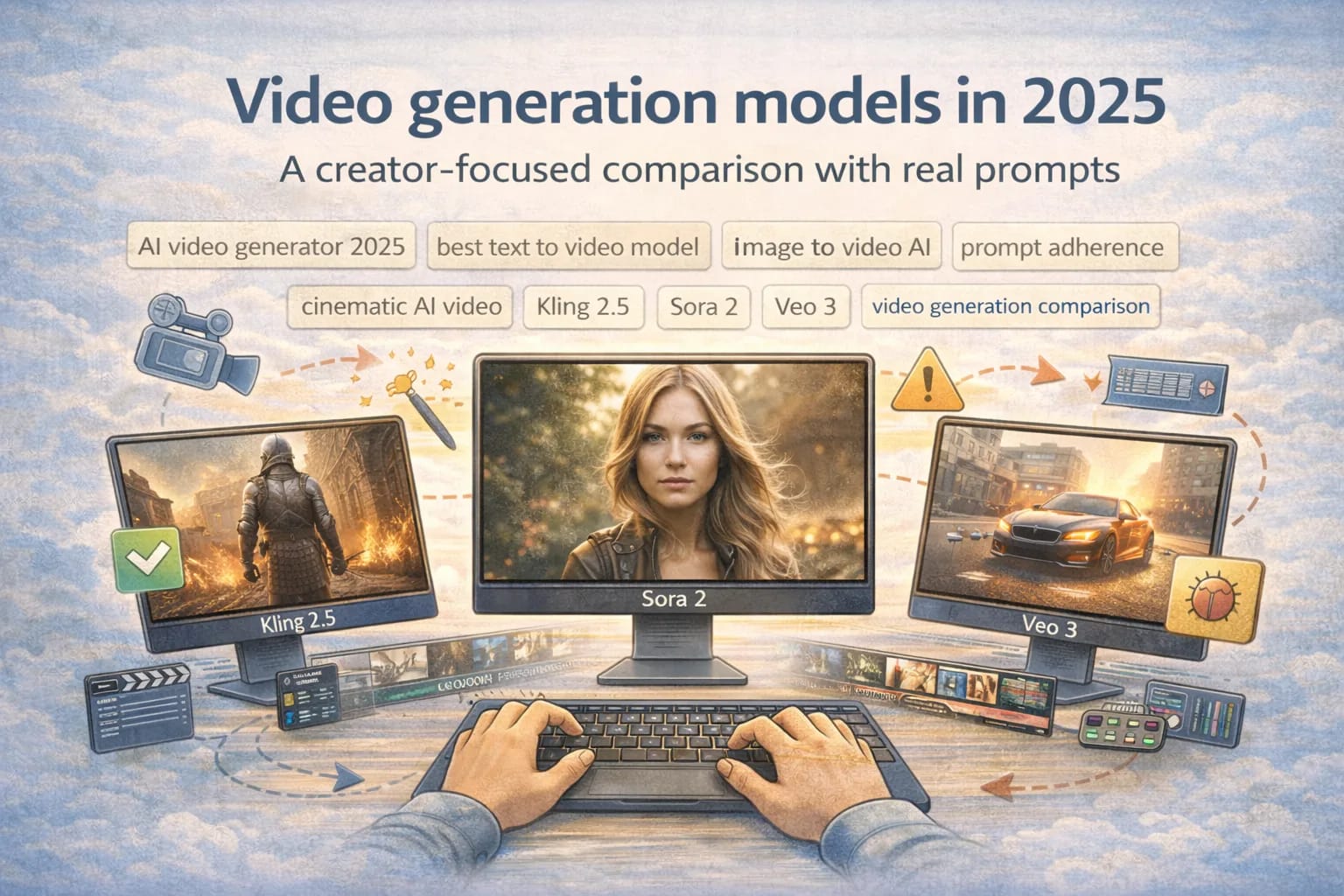
Video generation models in 2025: a creator focused comparison with real prompts
December 29, 2025
Creators are not asking video models to make a perfect movie. They are asking for usable shots on demand, with predictable control. In 2025, the hype is easy to find and the disappointment is easy to reproduce: the model nails the first frame, then the motion melts, a face changes identity mid-shot, the camera does something you did not ask for, and you lose time regenerating variations.
So this post is not a leaderboard. It is a workflow comparison. The goal is to help you pick the model and the settings that reduce rework.
I will compare a small set of popular models using the same five prompts and the same evaluation rules. I will also show you how to run your own comparison in an afternoon, because the best choice depends on your content style.
Keywords I will use (so you can find this later): AI video generator 2025, best text to video model, image to video AI, prompt adherence, cinematic AI video, Kling 2.5, Sora 2, Veo 3, video generation comparison, AI video workflow.
Important honesty note: I am not running these models inside your repo and I cannot produce verified, lab-grade numbers in this post. What I can do is give you a repeatable rubric, prompts that expose common failure modes, and creator-first guidance for interpreting results. If you run the prompts yourself, you can drop your results straight into the scoring tables below.
The current wave of 2025 video models (what actually changed)
The biggest shift in 2025 is not that models can render prettier frames. It is that many tools improved temporal stability enough that creators can sometimes keep a shot without heavy post fixes. The second shift is better multi-modal workflows: text-to-video, image-to-video, and in some cases reference-guided generation that tries to preserve identity and style.
This wave also made a common truth unavoidable: the model is only half the product. The other half is the interface and control surface. A model can be strong, but if the tool cannot lock seed, control aspect ratio, set motion intensity, or guide camera movement, creators spend more time fighting the UI than making content.
In this comparison, I will focus on three names you will hear constantly in 2025 discussions: Kling 2.5, Sora 2, and Veo 3. Those version labels are used widely in creator conversations and marketing, but features and access can vary by region and time. Always check the official product pages linked in the Sources section.
The evaluation rules (the part that actually makes this useful)
Every comparison falls apart if you let the rules drift. So here is the rubric, designed for creators who care about usable footage.
I use a 1 to 5 score per category. A 5 is not "perfect." A 5 is "I can ship this shot with minor editing." A 1 is "this is unusable without regeneration." If you want to be strict, treat 3 as the threshold for a first-pass cut.
| Category | What you are judging | What a 5 looks like | Common failure patterns |
|---|---|---|---|
| Motion consistency | Do objects move smoothly over time | Stable motion with minimal warping | Rubber limbs, sliding objects, jitter |
| Face stability | Identity stays the same across frames | Face and hair remain coherent | Face morphing, eye drift, identity swap |
| Prompt adherence | Does it follow the instructions | Key nouns and actions match prompt | Ignores constraints, adds random props |
| Camera control | Does camera direction behave | Requested camera move is respected | Unexpected zooms, shaky tracking |
| Scene continuity | Style and lighting stay coherent | Consistent light, set, and color | Lighting pops, style shifts mid-shot |
| Editability | Can you cut it into a real edit | Clean shot boundaries, usable frames | Artifacts on motion, unreadable details |
If you want a single score, do not average everything. Weight it for your use case. A creator making talking-head social clips should weight face stability more than camera control. A creator doing product b-roll should weight motion consistency and prompt adherence.
The same five prompts (copy/paste ready)
These prompts are designed to expose common failure modes. They are also designed to be used across tools. For the image-to-video prompt, you will supply the same source image to every model.
| Prompt | Type | What it tests | Creator use case |
|---|---|---|---|
| Prompt 1: "A chef flips a pancake in a small kitchen. Medium shot. Natural morning light. No text overlays. Keep the chef's face consistent. Camera is locked off. Duration 6 seconds." | Text to video | Face stability, motion consistency | Short narrative b-roll |
| Prompt 2: "A shiny sneaker on a rotating turntable. Studio lighting, softbox reflections. Clean white background. Slow rotation only. No extra objects. Duration 6 seconds." | Text to video | Prompt adherence, object integrity | Product shots |
| Prompt 3: "Handheld follow shot behind a cyclist riding through a neon-lit city street at night. Gentle camera bob, cinematic depth of field, raindrops on lens. Duration 6 seconds." | Text to video | Camera control, scene continuity | Cinematic AI video vibe |
| Prompt 4: "A close-up of a person speaking directly to camera. Neutral background. Subtle head movement. Keep identity stable. No dramatic camera movement. Duration 6 seconds." | Text to video | Face stability, lip motion plausibility | Talking-head style content |
| Prompt 5 (image-to-video): "Using the provided reference image, animate a slow dolly-in (forward) with subtle parallax. Keep the subject identity and outfit unchanged. Do not add new objects. Duration 6 seconds." | Image to video AI | Reference fidelity, camera control | Bring stills to life |
The key is that these prompts contain constraints that models often ignore. "No extra objects" and "camera is locked off" are there to test prompt adherence. The camera directions are there to test camera control. The face language is there to test identity stability.
The comparison set: Kling 2.5, Sora 2, Veo 3
This is a creator-focused comparison, so I will describe each model in terms of the workflows it tends to support.
Kling 2.5
Creators usually reach for Kling when they want strong visuals and a tool that behaves like a content pipeline: generate variations, pick the best, and then edit. In many creator discussions, Kling is used for stylized shots and fast iteration. The success pattern is to keep prompts tight, keep clips short, and treat it like a shot generator rather than a full scene director.
Where Kling workflows often break is when you ask for precise camera grammar and exact object constraints at the same time. Many models will trade off adherence for aesthetics. If your content depends on strict adherence (for example product shots), your workflow must include an explicit "constraint check" pass.
Sora 2
Sora is discussed as a "scene understanding" step forward: longer coherence, stronger motion, and the ability to hold a concept across time. Creator workflows that benefit most are ones where you want a sequence that behaves like a shot, not like a stack of frames.
The failure mode creators report most often across advanced models is not that the video looks bad. It is that the model is too opinionated. You ask for a locked-off camera and it adds a cinematic move. You ask for a clean background and it adds texture. If you are building a repeatable content template, that creative opinion becomes time waste.
Veo 3
Veo is often framed as a creator tool that cares about cinematic motion and camera behaviors. When a model handles camera direction well, it reduces a huge pain point: you stop regenerating because the camera did something wrong.
But camera control is a double-edged feature. It only matters if it is reliable. If the UI exposes camera controls but the model interprets them loosely, you can waste time because you believe you have control when you do not.
How to run this comparison like a creator (not like a researcher)
Here is the workflow that produces results you can trust.
First, fix your settings. Use the same duration, aspect ratio, and quality settings across tools as closely as possible. If one tool defaults to a different duration, your results will be biased.
Second, control randomness where you can. If the tool supports seeds, set a seed. If it does not, generate at least 3 variations per prompt and keep the best of three. That reflects real creator behavior.
Third, lock your evaluation rules before you look at outputs. The human brain loves to forgive problems when the shot looks cool. The rubric exists to prevent that.
Fourth, evaluate in a consistent order. Watch each output twice. On the first pass, judge the feel. On the second pass, look for warping, identity drift, and constraint violations.
Fifth, measure time, not just quality. A model that produces a 4/5 shot in one generation is better for creators than a model that produces a 5/5 shot after six regenerations.
Scoring template (fill this in with your runs)
Use this table to track your five prompts. Add a "regen count" column if you want to measure time waste more directly.
| Model | Prompt | Motion | Face | Adherence | Camera | Continuity | Editability | Notes (what failed) |
|---|---|---|---|---|---|---|---|---|
| Kling 2.5 | 1 | _ | _ | _ | _ | _ | _ | _ |
| Kling 2.5 | 2 | _ | _ | _ | _ | _ | _ | _ |
| Sora 2 | 1 | _ | _ | _ | _ | _ | _ | _ |
| Veo 3 | 1 | _ | _ | _ | _ | _ | _ | _ |
That table looks simple, but it forces you to capture the reason you rejected a shot. Those reasons are what determine the best AI video workflow.
What tends to win for creators (patterns, not hype)
Across creator workflows, the biggest time saver is not maximum quality. It is predictability.
A predictable model lets you build a template. You reuse the same prompt skeleton, the same negative constraints, the same duration, and you get a usable shot most of the time. A less predictable model might occasionally generate a breathtaking clip, but it costs you time because you cannot rely on it.
Here are the patterns that separate a good week from a regeneration nightmare.
Prompt adherence is the hidden budget
Prompt adherence sounds like a nerd metric, but for creators it is money. Every time a tool adds an extra object, ignores your background constraint, or changes wardrobe, you lose time. That is the difference between "best text to video model" as a headline and "best model for my workflow" in practice.
If a model tends to ignore constraints, the fix is not just adding more words. The fix is structuring the prompt so constraints are crisp, measurable, and few.
Bad constraint: "make it clean".
Better constraint: "clean white background, no props, no text".
If you want the model to follow camera direction, keep it simple. Many models do not reliably execute complex camera choreography. "Slow dolly-in" tends to work better than "dolly-in while orbiting and craning." Use one camera instruction per prompt.
Face stability is a special case
Face stability is not the same as general stability. A model can have smooth motion and still swap facial identity subtly, which is unusable for talking-head creators.
The creator-friendly workflow is to separate identity shots from environment shots.
If you need a stable person on camera, generate the clean talking-head clip first. If you need a cinematic scene, generate it separately and cut between them. Do not ask one generation to solve identity, camera, lighting, and action all at once.
For image to video AI workflows, reference images can help, but they also introduce failure modes: the model preserves the face but changes the outfit, or preserves the outfit but shifts the face. That is why Prompt 5 includes explicit "do not add new objects" and "keep outfit unchanged".
Camera control is where creators win or lose hours
Camera direction is one of the hardest things to get consistently right.
If a tool lets you specify camera motion explicitly and it follows it reliably, that is a direct time saver. If it follows it unreliably, it is worse than not having the feature, because you will spend time trying to debug something you do not control.
The creator trick is to test camera control with boring prompts. That is why Prompt 2 exists. If you cannot get a turntable product shot to stay clean and consistent, do not expect a complex handheld follow shot to behave.
A practical AI video workflow (how to ship content with fewer regenerations)
This is the workflow I recommend to creators who want output they can edit.
Start with a "constraint-first" pass. Generate Prompt 2 (product shot) and Prompt 4 (talking head) as your litmus tests. If the model fails these, you will waste time on everything else.
Then do a "motion stress" pass with Prompt 3. If the motion warps heavily, you can still use the model for static or slow content, but do not ask it for complex camera moves.
After that, decide whether you are building a text-first or image-first pipeline.
Text-first pipeline: write prompt skeletons, tune negative constraints, and generate variations. You will get better speed if you keep shot length short and stitch shots in an editor.
Image-first pipeline: generate keyframes as still images, pick the best, then animate with Prompt 5. This often produces higher consistency because you lock the composition first.
Finally, do not treat one model as your entire pipeline. Many creators get the best results by using one model for faces, one model for motion-heavy b-roll, and a separate tool for upscaling or frame interpolation. The best workflow is often a small toolkit.
Sources and official references
These links are here so you can verify claims and check current availability and features.
- OpenAI Sora product page (https://openai.com/sora)
- Google DeepMind Veo announcement and updates (https://deepmind.google/)
- Kling AI official site (https://klingai.com/)
- DataCamp generative AI learning resources (https://www.datacamp.com/)
If you want this comparison to be even more creator-usable, the next step is simple: run the five prompts in your preferred tools, fill the scoring table, and write down the failure notes. Those notes become your prompt library, your negative constraints, and your model selection rule. That is how you turn "video generation comparison" into an AI video workflow that saves time.